
Smart Assistant (Maia) Gets a More Intuitive Layout
We’ve made it easier to access your favorite Smart Assistant features by replacing the Smart Assistant avatar with dedicated action buttons in both the current message view and draft view.
Faster access to Smart Assistant actions
Instead of opening the Smart Assistant through a single entry point, you can now access individual Smart Assistant actions directly from the configuration panel.
This reduces clicks and makes it easier to jump straight to the action you need.
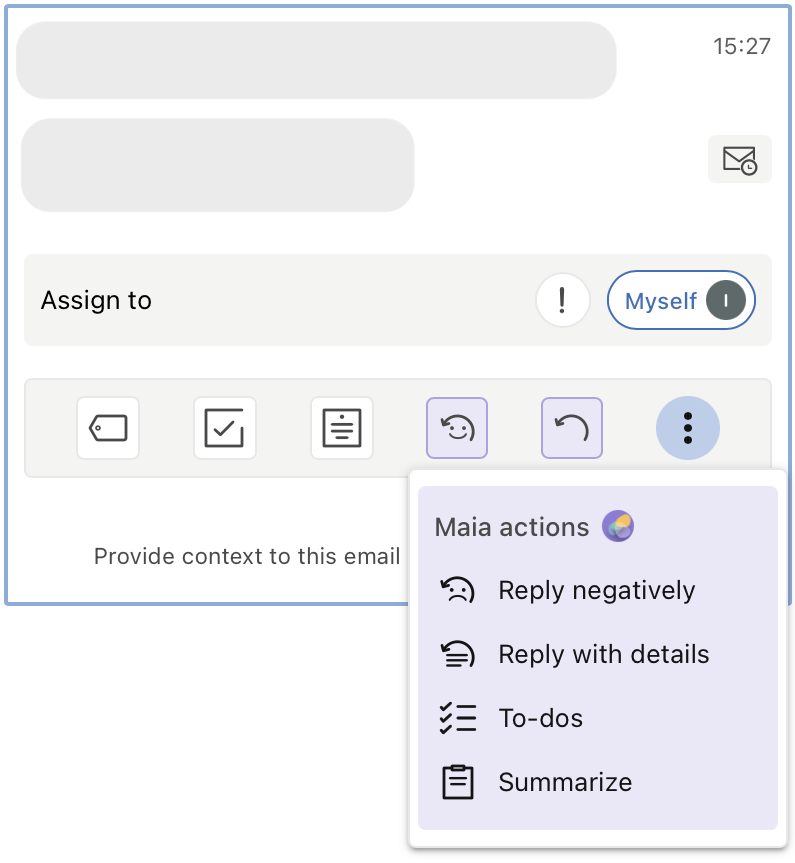
Smarter and smoother experience
Smart Assistant actions are now decoupled and presented individually, helping you discover and use features more efficiently. The updated layout also prioritizes actions based on your most recent usage, so your go‑to tools are always within easy reach.
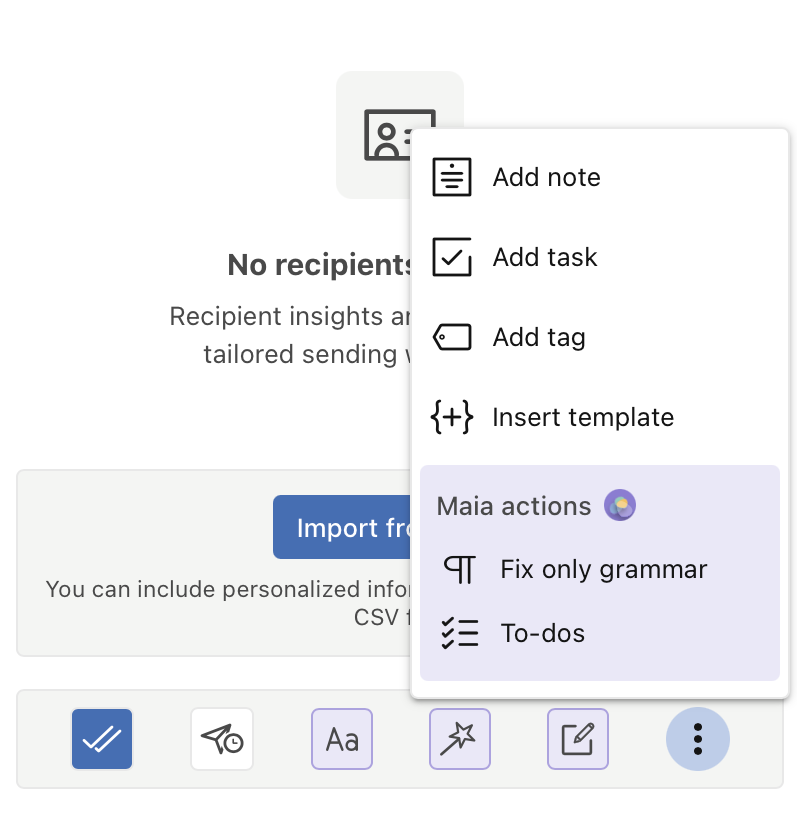
This update is all about making Smart Assistant features easier to discover and use. Explore the new action buttons and let us know how we can make the experience even better at support@mailbutler.io.