MailbutlerM
Mailbutler
Jun 15

Merge Follow-Up-Reminders with Tasks

Please include Follow-Up Reminders in Tasks. From a user's perspective a Follow-Up-Reminder is a kind of task, right? So it makes no sense that I have to use the "Emails" section and then use a Filter to access my follow-Up-reminders. I want all my tasks (including follow-Ups) in ONE list. (they can be color-coded).
CompletedCompleted

Jun 15, 2021

Hi Axel, Thank you for your comment. I have some follow up questions to help us better understand your use case. When you are creating tasks, do you ever set due dates on your tasks? That way you can see the overview in the tasks tab. From the task you can easily jump back to either the contact or the email you created it from. Would that already help you?

Jun 16, 2021

Noortje: my task alway have a due-date. But my point is that follow-ups don't appear in the sidebar with the other tasks. I don't understand why you differentiate between tasks and follow ups at all.

Jan 13, 2022

Axel, Noortje: I agree this is confusing! I thought that follow-ups would be automatically marked as complete if someone replies to them and that tasks have to be manually marked as complete. But that doesn't seem to be the case

Jan 14, 2022

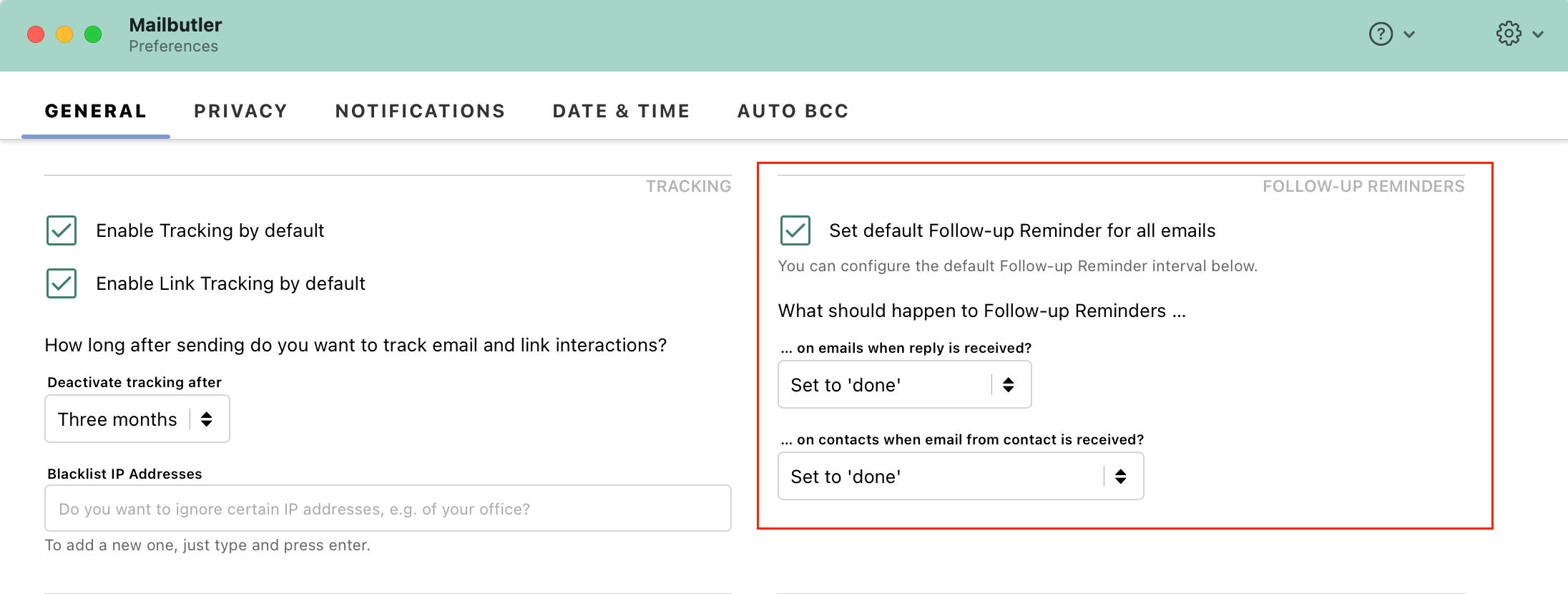
Ian Blackburn: You can set a rule in your preferences> general to mark Follow-up Reminders automatically as done whenever you receive a reply. If you already set it up like this, and it is not working for you, please get in touch with our support team via support@mailbutler.io.

Jan 14, 2022

Noortje: Perfect - that wasn't on for me so makes more sense now