MailbutlerM
Mailbutler
May 28

Export tracking information

export all tracking information into a csv file I would really like to have this feature. I am working with a lead score to rank my leads. Knowing how many times they opened the mail is a very important indication of their level of interest and is a large portion of the lead score.
CompletedCompleted

Dec 9, 2025

This is now possible!

Dec 9, 2025

FabianTHANK YOU.

Dec 9, 2025

Fabian How?

Dec 9, 2025

Julian, you can find the exporting option in Mailbutler's "Account&Preferences" under "General"

Nov 5, 2025

We will start working on such an exporting feature soon

Sep 24, 2025

We will look into options here

Sep 24, 2025

Marina, we will definitely consider such an export. What kind of file format do you have in mind? Would a simple CSV file be sufficient for your purpose?

Sep 24, 2025

Fabiancsv is totally fine. Just raw data

Sep 10, 2025

Is this feature available now?

Jun 4, 2025

I think this info would be a game changer as it would allow users to perform analytics on a much larger data set.

May 28, 2025

How would you further process the exported CSV? I am wondering whether a direct integration with CRM tools would be even more beneficial for you, Castillo M. Sam Evans Lucy

May 28, 2025

Fabian in my case I would use csv data to cross reference the email-open data with my FileMaker client database

May 30, 2025

I have created my own crm with v0 ai. I use a leadscore to rank the open leads. An important missing part is that i cannot score on the basis of how many times a lead has opened my mail with my quotation, or clicked on the links in the mail. I have studied the relationship between my orders and tracking information concluded that new customers opened and clicked a lot more than other leads. So i would love an API connection where my leadscore is influenced by the tracking information.

Nov 30, 2021

I second this... no export feature is a dealbreaker on many levels. No ability to use the database for direct mailers, for e-newsletters, etc .. not to mention no way to backup up our precious contacts, nor a way to know that i can take my contacts with me if at some point your services aren't right for me anymore. If I leave your service, i will lose all of my contacts? This is tacky and does not send a good message. Export feature is a very basic coding job and the lack of it seems like a sloppy way of trapping subscribers. None of your competitors do this.

Nov 18, 2021

I am adding this suggestion on behalf of a client. See full feedback: I’m just wondering if MailButler has the capability of helping me with the following: I’d like to put in a spreadsheet all of the emails I’ve sent over the past month. Ideally, that spreadsheet would automatically include whether a contact opened my email or not.

Jul 19, 2022

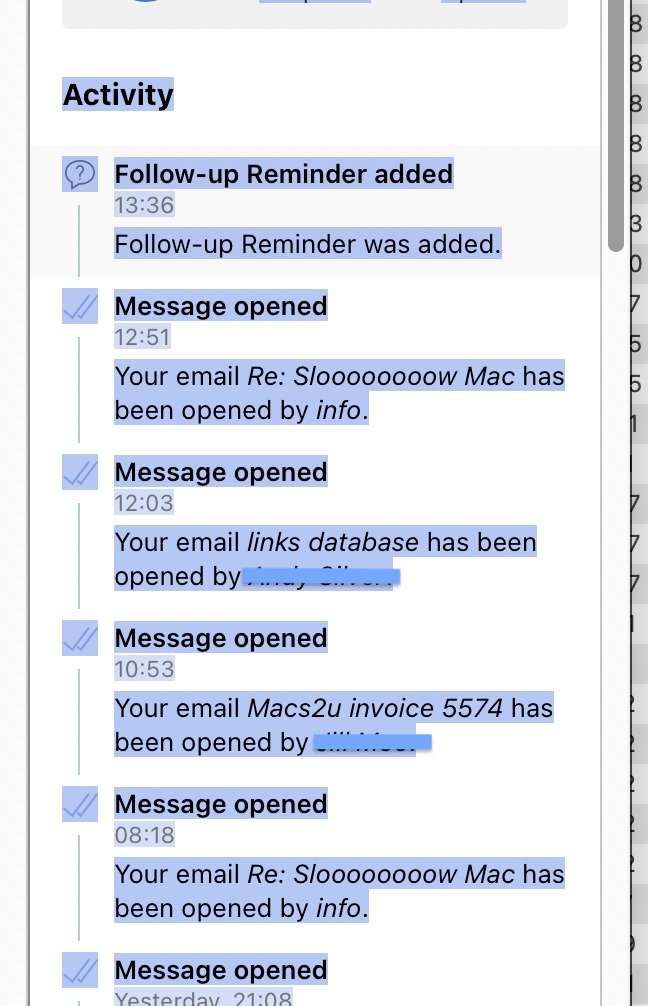
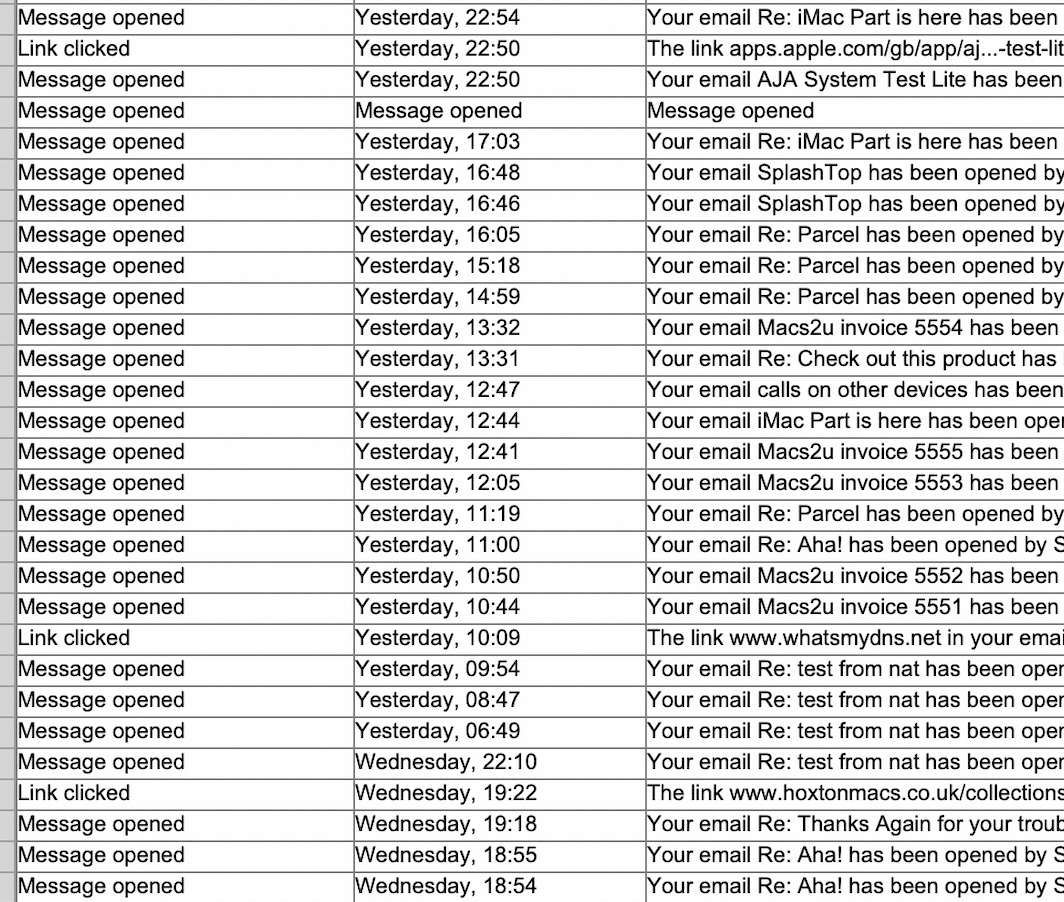
Lucy: While we wait for the solution to be implemented, I have found a workaround: If you are in the Activity section of Mailbutler sidebar (in Apple Mail) you can Select All and a large portion of the activity can be copied and pasted into a text file and manipulated from there. You might need to scroll down to reveal older data and then repeat the exercise. I've successfully created a database this way.